Is THIS The Future Of Graphic Design?
Chris Do explains how AI tools like Photoshop's Generative Fill are not replacing creators, but are instead amplifying their strategic vision.
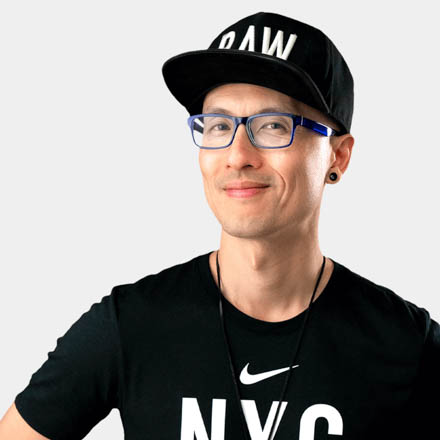
Chris Do
Founder, The Futur™ · August 30, 2023
The Quiet Revolution in Your Toolbar
There is a revolution happening in the creative industry, but it’s not arriving with a deafening bang. It’s unfolding quietly, inside the very software that has defined digital art for a generation: Adobe Photoshop. For years, the conversation around artificial intelligence has been dominated by disruption and replacement. But a recent update to Photoshop Beta suggests a different future, one of augmentation, not obsolescence.
Adobe, a titan of Silicon Valley, was perceived as late to the AI party. While other tools made headlines, Adobe remained cautious. But with the introduction of Generative Fill, powered by its own ethically trained AI model, Firefly, the company has entered the fray with a focused and powerful weapon for creators.
The killer feature is deceptively simple. It allows a user to select an area of an image and, with a text prompt or none at all, have the AI generate a seamless, context-aware addition. On the surface, it seems basic. In practice, it represents a fundamental shift in how creative work gets done.
From Tedious Repair to Effortless Expansion
For anyone creating content for platforms like YouTube, the perfect thumbnail is a painful necessity. Often, the best photo of a subject is poorly framed. An arm is cropped, the headroom is too tight, or the composition is restrictive. This limits where the image can be placed and how text can be incorporated.
The old solution was a painstaking process of manual labor. Futur founder Chris Do recalls the hours spent in the past, “cutting and stitching arm parts and body parts together just so that my slides look good.” It was a tedious, technical task that ate into valuable time.
Photoshop’s Generative Fill makes this problem obsolete. By simply expanding the canvas and selecting the empty space, the AI can intelligently complete the image. “Without any prompting,” Do explains, “if I want to draw the rest of the arm all I have to do is expand the canvas and just mark a box and it just knows to put in the arm.”
The results are startlingly accurate. The AI matches the lighting, the texture, and the perspective of the original photo. It provides several options, and if none are perfect, you can simply re-roll for a new batch. This is not just a time-saver. It is a creative unlock.
It transforms the creator’s job from technician to director. The question is no longer “Can I fix this broken image?” but “What is the best possible composition I can create with this asset?” The focus shifts from manual dexterity to strategic vision.
Expanding the Known Universe of Art
The most immediate use of Generative Fill is practical, but its most profound impact may be artistic. It offers an invitation to look at the world from a different point of view by exploring what lies beyond the edges of the frame.
For decades, iconic images have been defined by their crop. We only know the world that the photographer or artist chose to show us. Now, AI allows us to ask: what else was there?
Creative users are taking seminal album covers, like Nirvana’s Nevermind or the surreal landscapes of David Bowie’s art, and expanding the canvas. They are asking Photoshop to dream up the rest of the scene. The results have a surreal, oneiric quality. The AI imagines what might lie just outside the frame, creating something both familiar and startlingly new.
This process is an artistic act in itself. “To me this is art,” Do says. “Art is an invitation to look at the world from a different point of view.” Using AI to expand these cultural artifacts is not about replacing the original but about entering into a dialogue with it. It introduces a creative question mark into a conversation we thought was finished.
This application transforms AI from a simple tool of production into a collaborator in imagination. It is a way to explore alternate realities and to see the limitless possibilities hidden within a finite image.
The Infinite Green Screen for Every Creator
The power of generative expansion extends beyond static images and into the realm of video. While Adobe has not yet released a video version, savvy creators are already using a hybrid workflow to achieve what was once the exclusive domain of high-budget film productions.
As The Futur's Mo Ismail explains, his team uses this technique for client work. If a subject is filmed in a less-than-ideal environment or with a lens that is too tight, they can take a still frame from the video and bring it into Photoshop Beta.
Using Generative Fill, they can expand the background or even change it entirely, effectively pre-visualizing or creating a new digital set. They then use a tool like Unscreen.com, which perfectly cuts the subject out of the original video footage. By combining the rendered background with the isolated subject, they create a composite that looks like it was shot on a professionally designed set.
“It's almost like an infinite green screen which is just mind-boggling,” Ismail says. This technique democratizes a classic visual effects concept known as set extension.
For decades, Hollywood has used this to create grand environments. An older term for it was a matte painting. In films like The Empire Strikes Back, artists would literally paint hyper-realistic backgrounds on a sheet of glass placed in front of the camera lens. The live-action was filmed through the glass, seamlessly blending the real and the painted worlds. This required immense artistic talent and a George Lucas-sized budget.
Today, AI puts a version of this power into the hands of any creator. You no longer need access to a legendary matte painter. You need a creative idea and the willingness to experiment.
- Take a static image of your filming location.
- Use Generative Fill to expand or alter the background.
- Isolate your subject from the video footage using an automated tool.
- Composite the subject onto the new, expanded background.
This workflow solves a massive headache for content creators: the tyranny of the aspect ratio. The struggle to reformat a horizontal video for a vertical platform, or vice versa, may soon be a thing of the past. As Do notes, “2023 was the last year we had to stress over aspect ratio.” With generative video tools on the horizon, reframing content will become an automated, not a creative, problem.
Democratizing the Parallax Effect
Another high-end visual effect that AI is making universally accessible is the multi-plane or parallax effect. This technique was famously popularized in the 2002 documentary The Kid Stays in the Picture, which told the story of Hollywood producer Robert Evans. The film brought still photographs to life by digitally separating them into layers: foreground, subject, and background.
By moving these layers independently in 3D space, the filmmakers created a sense of depth and motion, allowing the camera to seemingly drift through a static moment in time. It was a stunning effect, but it was also incredibly labor-intensive. To achieve it, an artist had to meticulously cut out the subject and then painstakingly paint back the background that was hidden behind them.
Do, whose career began in motion graphics, recalls the hours this process would take. “I would sit there and think, ‘Oh God, this is a certain number of hours of work,’” he remembers. The cost in time and money meant the effect was reserved for special projects.
Generative Fill automates the most difficult part of this process. The workflow is now radically simplified.
- First, you use an AI tool to perfectly cut out the subject from the photo.
- Next, you use Generative Fill to select the now-empty space where the subject was and command the AI to fill in the missing background.
- Finally, you bring the separated subject layer and the new complete background layer into a program like Adobe After Effects to create the 3D camera move.
What once took a skilled artist hours or days of manual painting can now be accomplished in minutes. This is a prime example of how AI can amplify creative possibilities. It doesn’t replace the creative idea of using a parallax effect; it removes the friction of execution, allowing more creators to use it in their storytelling.
The Great Inversion: From Production to Vision
The recurring anxiety surrounding AI is the fear of being replaced. If a machine can do the work, what is left for the human? This question misunderstands the nature of creative value. These tools are not replacing the creator; they are changing the creator’s job description.
For years, a huge portion of a creative professional's day has been spent on low-value production tasks. Do points to one of his least favorite jobs: cutting out hair for composite images. “It's one of the banes of my life,” he admits. He describes spending hours redrawing individual strands of hair at two in the morning to ensure a perfect composite for a keynote presentation, a detail most people would never notice.
This is where AI offers a great liberation. If a tool can execute a perfect cutout in seconds, that is not a threat. It is a gift of time. “If AI can amplify the speed of our work process, what are we supposed to do with all our free time?” Do asks. “And the answer is be creative.”
This is the great inversion of creative work. The goal is to flip the ratio of production time to creative time. If a photo-compositor spends eight hours a day working, and seven of those hours are spent preparing assets, their value is tied to their technical speed. But if AI shrinks that asset preparation down to one hour, that person now has seven hours to do what humans do best.
- Explore more compositions.
- Try different concepts.
- Refine the messaging.
- Think more deeply about the artistic style.
It allows you to spend more time on the 'what' and 'why' of the project, not just the 'how'. Instead of delivering three ideas because that's all you had time to produce, you can still deliver three, but those three will be the result of far deeper exploration and refinement. Instead of focusing on why his content isn't being seen, a creator can now focus on the quality of the concept.
This is crucial because the industry trend is relentless: clients expect more work, in less time, for less money. As Do says, “It's going to be a really cool day in hell... when people pay you more money to give you more time to work on something and to expect less of you.” Since that day is not coming, creatives must arm themselves with tools that provide leverage.
The Highest Form of Intelligence
The biggest barrier to adopting these tools is not technical; it is psychological. It is fear, resentment, and a sense of being threatened. To truly harness the power of AI, creatives must approach it with a different mindset, one that Do describes as working “without judgment.”
He references the Indian philosopher Jiddu Krishnamurti, who said, “The ability to observe without evaluating is the highest form of intelligence.” This is a principle for life, but it applies directly to how we engage with new technology. If you approach a tool with the pre-existing belief that it is a threat or that it is “cheating,” you are sabotaging your own ability to learn from it.
Your mental state predetermines the outcome. “If you have anger, resentment, frustration when you're doing something new, you carry that emotional energy into the tasks that you're doing,” Do explains. “You're going to self-sabotage.”
This idea is also central to Stoic philosophy. The Roman emperor Marcus Aurelius wrote extensively about the importance of seeing things for what they are, not for the judgments we project onto them. Approaching Photoshop Beta should be like this. It is not “good” or “bad.” It is a tool. The only way to understand its true potential for your own workflow is to engage with it objectively.
Reserve judgment. Play with the tools. Think deeply about how they can free up your time. Some will find it doesn't work for their process, and that is a valid conclusion. But it must be a conclusion reached through open-minded exploration, not one born from fear and prior bias.
The Unchanging Standard of Excellence
The tools will always change. What does not change is the standard of excellence required to do meaningful, high-value work. Do illustrates this with a pivotal story from his early career as a young, cocky designer at the legendary visual effects company R/GA.
He was working under co-founder Richard Greenberg on a pitch for an animated logo for Kopelson Entertainment, the production company behind films like Seven. The idea involved an intricate 3D model of the Brooklyn Bridge, which Do and a friend spent an immense amount of time building and rendering on what were then primitive desktop computers.
Do was proud of the rendered image, but Greenberg, known for his meticulous attention to detail, kept sending it back with notes. Frustrated by the endless revisions on a single frame, Do finally broke. He asked, “Isn't this close enough? Are we spending so much time on this single frame?”
Greenberg turned to him, ready to deliver a lesson. “Do you understand the importance of this single image?” he asked. “With a single image I can go get a million dollar job. So we're gonna get this image right.”
In that moment, the lesson sank in. That single, perfect image was not just a render; it was a key. It was the piece of communication that would convince powerful Hollywood producers to sign off on an idea and commit hundreds of thousands of dollars to the project. It had to be flawless because it was the foundation for everything that followed. Great creative work, like the kind explored in building a personal brand, often hinges on these moments of clarity and conviction.
This is the mindset creatives must bring to working with AI. The goal isn’t to output more things faster. The goal is to use the speed of AI to achieve a higher level of perfection and conceptual strength in the final output. It's about taking that same maniacal attention to detail that Greenberg demanded and applying it to work that you can now create more efficiently.
“My God, it's like you're Thanos with The Infinity Gauntlet,” Do says. The power to achieve a perfect composite, the perfect lighting, the perfect texture, is now more accessible than ever before.
The debate is over. The wave is here. You can stand on the shore and argue about whether it should exist, or you can learn to ride it.
“The wave is coming and some of us will learn to surf and some of us will drown,” Do concludes. “You have to decide. Are you going to be a surfer or you going to drown? It's up to you.”
TRANSCRIPT
Enjoyed this? There’s more where it came from.
Get insights on creativity, business, and design from The Futur.
You can unsubscribe anytime. By submitting, you agree to receive communications and to our Privacy Policy.
“With a single image I can go get a million dollar job.”
— Chris Do
Key Takeaways
Subscribe
Details
- Length
- 20m
- Views
- 44,892
- Topic
- CREATIVITY